We provide more than excellent audio processing — we provide audio-processing solutions, and a way to execute them.
Fog Audio helps you reach a great sound quickly, and is a manufacturer of mixing solutions. Whether you are an engineer, stuck on a mix, looking to work faster, or learning the craft, you can get the result you want faster in Fog Audio’s world of sound.
Baxia · Low
Zhuque · Mid
Qinglong · High
Xuannv · Air
Plug-ins
Fog Core Sound
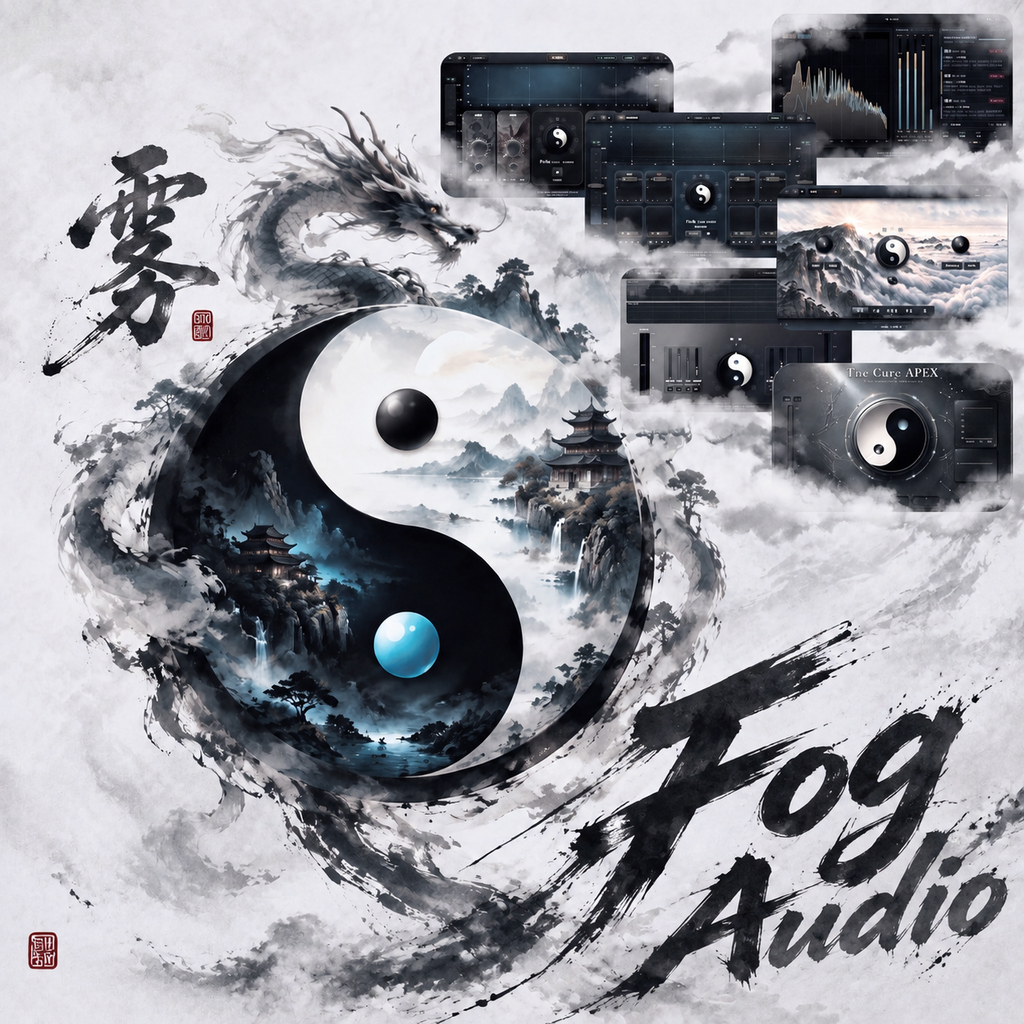
Taiji knob: left dark, right bright. Shaping first; harmonics are added after it.
Perpetual license · account-based · up to 2 computers per account per plugin · activated automatically on your account once payment succeeds. To switch, unbind an old device under "License Management" in your User Center
Design highlights
Fast Audio Shaping
Fog Taiji: left dark, right bright. Four bands apply shaping first; harmonics are added after. Dynamic de-esser.
BLIND Listening
A/B/C/D builds the sound you want. Listen with your ears; fine-tune once you like it.
Intelligent Shaping
Scans peaks inside each band, and only cuts once a problem is confirmed. Protection keeps the band from being hollowed out.
Lossless Shaping
Neighbor / stack-cut / loudness protection. It cuts the extra peak, not a hole.
Dynamic Harmonics
The start frequency follows the scan, so the audio gets its frequency motion back. Tube / Tape / Amp circuits per band.
Fog Core Sound Master
Not an upgrade of Fog Core Sound — an independent drive and engine for mastering and the bus. Shape mastering tone and the stereo field fast, leave dead frequencies behind, and bring the master back to life.
Perpetual license · account-based · up to 2 computers per account per plugin · activated automatically on your account once payment succeeds. To switch, unbind an old device under "License Management" in your User Center
Design highlights
Four-Band Mastering Shaping (Shaping / Harmonics)
Each band supports auto and manual: tidy frequencies fast, shape in real time with musical energy — not locked to dead frequencies. Optional Mid / Side; M/S mode also supports auto + manual.
Taiji Master Knob · Attention Vector Stereo (AVS)
The large knob is not conventional Width. Fog Audio’s Attention Vector Stereo (AVS) is phase-safe attention-based stereo steering: turn left to focus attention toward the center, turn right to distribute attention to the sides—not traditional widening / narrowing.
Listening System
Load music to extract a matching listening profile, then quickly draw cards on DAW audio to finish a master fast.
Three Harmonic Voices
Warm, Punch, and Crisp — three harmonic characters for different tones and styles.
Fog Core Comp
Fog Taiji Yin–Yang: left is “stable,” right is “alive.” Punch adds the hit; LIFE restores the original dynamics lost in compression.
Perpetual license · account-based · up to 2 computers per account per plugin · activated automatically on your account once payment succeeds. To switch, unbind an old device under "License Management" in your User Center
Design highlights
Fog Taiji Yin–Yang
Left is “stable”: flattens the ride and holds the hit, then Punch and LIFE put life back. Right is “alive”: lets a short transient through and holds the tail. At center the master knob produces no compression. RATIO / MKUP follow the knob, or go manual.
Master Knob Throw
Center is bypass, gain reduction at zero. Off center to the left (Yin) there are two laws: first VCA, voltage-controlled and even with a softer knee; further down is FET, a field-effect stage grabbing peaks, faster and harder — FET is as far as the left goes. To the right (Yang) there are three: VCA, then FET, then PUMP, which lets the hit through, pushes the tail down and releases it back so the level pumps. There is no LIM. These are the laws on the knob, separate from the circuit colors on the top bar.
Attack / Release
Auto by default: they follow the audio material, not a locked millisecond — a sharp hit gets a fast bite, dense hits are held down, and the lean of the master knob sets which way the times move and how far. Release runs in two stages: a fast rebound plus a slow tail that grows the longer the compression holds. Click A off on the fader to set a fixed time yourself.
Punch Gate
A transient gate after compression. It hears the hit before the squeeze; when the threshold opens it pastes that hit back into the wet waveform, in parallel with the compressed signal. PUNCH is how much; TAIL is how long the gate stays open.
LIFE Draws the Curve Back
Restores the original dynamics lost in compression. Choose any restore range from 0–100%; 100% is 1:1. It can also run on its own: sidechain it to other instruments as volume automation that puts the emotional life back.
Breath Hold · Automatic Detection
A compressor turns small signals up, breath and bleed included. Detection splits those gap signals out of the curve being restored. The performance comes back; the gaps stay put.
Notice
This does not replace a gate. It only restores the level and the emotion of the input. It is not a gate.
DETECT Spectrum
Turn on Hz and the upper screen becomes a spectrum analyzer. Peak frequencies and the current band are marked, so you can see what is hitting the threshold.
Four Circuit Styles
VCA / FET / OPTO / TUBE. All four are zero-latency; switching style does not add delay. TUBE runs more iron stages, so CPU is a little higher.
Fog Core Reverb
8-line FDN · split-drive PreDelay · DIY Bagua · Qian scene stack · exclusive scenes — space you design, not another hall preset.
Perpetual license · account-based · up to 2 computers per account per plugin · activated automatically on your account once payment succeeds. To switch, unbind an old device under "License Management" in your User Center
Design highlights
8-Line FDN Main DSP
8-line FDN with a Householder feedback matrix. De-ess and gain first; diffusion set apart from damping.
Split-Drive PreDelay · Link / Band
Fixed 800 Hz split. Link moves depth together; Band opens LF ≤200 ms / HF ≤150 ms independently.
DIY Bagua + Draw
Eight parallel Bagua slots: seven FDN recipes + independent Delay. Draw loads characters onto the ring.
Qian · Scene Stack
Drag Emei / Taihe / Zhangjiajie / Hulun onto Qian to stack landscape spaces; each keeps a full path, sends normalize.
Scene System
Emei cloud-sea, Taihe hall, Zhangjiajie valley, Hulun ethereal — each with its own modulation and early reflections.
Advanced M/S
Width and Mid/Side Cut·Boost after the FDN — reshape the field without rebuilding the reverb.
De-Esser / DUCK / Circuit
De-ess before the network, duck wet against dry, and optional Low / Mid / Full circuit color.
Fog Core Apex
One knob takes loudness to the extreme. It starts at the far left and adapts the input, and the music keeps its shape. $108.
Perpetual license · account-based · up to 2 computers per account per plugin · activated automatically on your account once payment succeeds. To switch, unbind an old device under "License Management" in your User Center
Design highlights
One Taiji knob
Starts at the far left and adapts the input. You only turn it. APEX does the rest.
Protection while raising loudness
It watches the sound-field shape and the energy spread, and the music keeps its shape.
Parallel clipper
The Limiter and Clip balance is yours. Then it enters the tone module.
Three tone lights
Green is low, yellow is mid, red is high. After limiting they restore the dynamics and frequency character.
Fog Listen
Real-time spectrum · loudness · Sound Field · Mid/Side · local analysis. List price $28. Claim a free 90-day activation code before Nov 30: sign in, click "Claim 90-day code", redeem it in your account dashboard, then sign in inside the plugin.
Design highlights
Real-time spectrum analysis
A spectrum view with readable Mid/Side energy. True Mid/Side energy shares with a Solo / Mute audition matrix.
Loudness
LUFS (momentary / short-term / integrated), True Peak, and LRA; the primary readout follows Output, with Input side by side.
Local privacy
Analysis runs locally; work with FogChat to analyze material, give suggestions, and learn.
Sign in first, then claim your 90-day code.
Up to 2 computers per account per plugin; unbind an old device in License Management to switch
Fog Core Bundle
One license for every Fog Audio plugin: Fog Core Sound, Sound Master, Comp, Reverb, Fog Listen, Apex, and Fog Chat — plus lifetime coupons on future Fog Audio plugins.
Perpetual license · account-based · up to 2 computers per account per plugin · activated automatically on your account once payment succeeds. To switch, unbind an old device under "License Management" in your User Center
Design highlights
All plugins, one license
Includes Fog Core Sound, Fog Core Sound Master, Fog Core Comp, Fog Core Reverb, Fog Listen, Fog Core Apex, and Fog Chat.
Lifetime coupons
Enjoy lifetime coupons on future Fog Audio plugins. Coupons can be stacked with promo days.
11.30 coupon
List price on the homepage. Claim FOG1130 and apply it at checkout for 25% off. Account-based license, up to 2 computers per plugin.
Shared Core
The Brain Inside the Plugin
Traditional plugins wait for you to guess the knobs. Fog Core puts a brain inside the processor: LISTEN hears the material, Intelligent Scan sees the spectrum, AI Chat understands your words. One intelligence runs through Reverb, Sound, Sound Master, and Comp — local, low-latency, offline. This is not more controls. It is a rewritten way of working.
Brain
In-Process Brain
Fog Core BrainInProc infers inside the plugin process. Audio never leaves your machine. ~60MB model, typically under 5% CPU. Traditional plugins have no brain; Fog embeds intelligence in the signal path.
LISTEN
Material Awareness
Real-time level, spectrum, and dynamics analysis identifies vocals, drums, buses, and more, then matches a processing direction. Not another preset menu — the plugin is listening.
AI Chat
Talk to Parameters
“Make the space bigger.” “A little brighter.” Intents parse locally and execute immediately — no leaving the DAW, no sending audio to the cloud. You speak. It works.
Scan
Intelligent Scan
Live spectrum and material scanning make problems visible before you turn a knob. Stop guessing which control. See peaks, resonances, and dynamics — then treat them.
You no longer adapt to the plugin. The plugin understands the sound. That cannot be replaced by another row of knobs.